Before your request turns into a ticket, your account need to be verified. This requires registration at Micaforce Helpdesk site.
Procedure to create an account
- Go to http://support.micaforce.com
- If above link does not automatically redirect, you can go to https://micaforce.freshdesk.com instead.
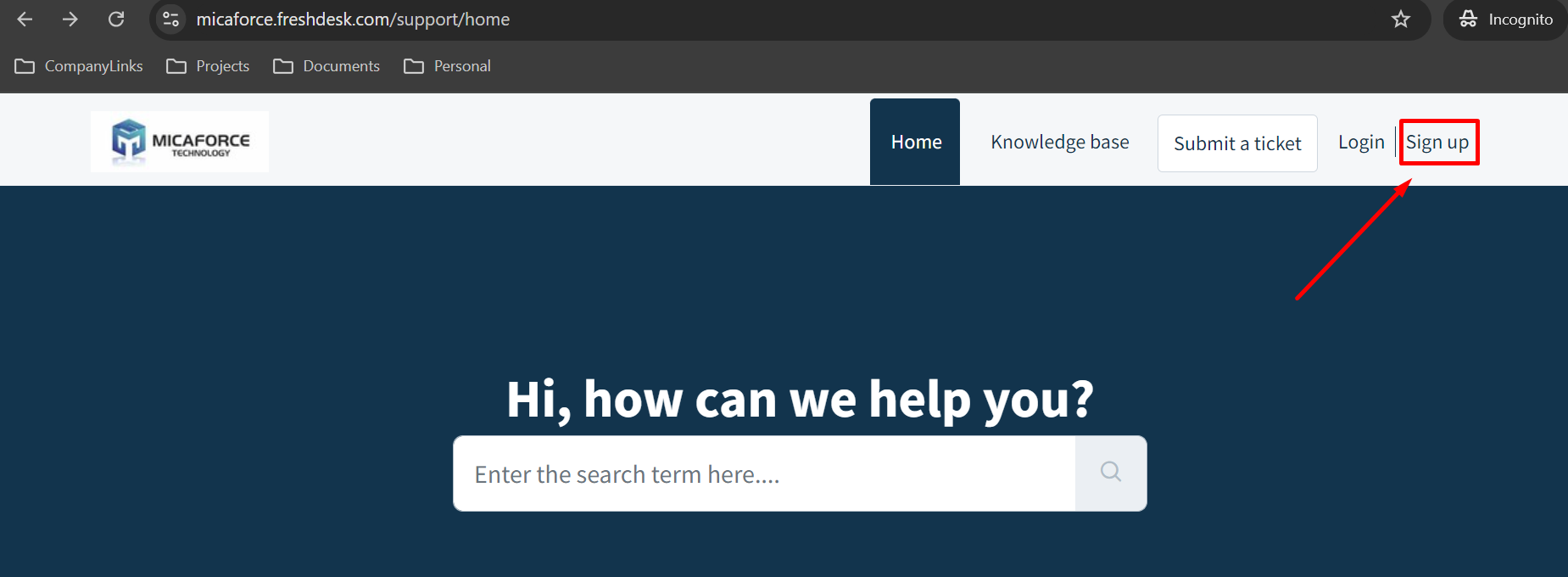
- You should see below screen. Locate the "Sign up" link at upper right corner and click it.
- Provide your full name and email address. It is important to use your business email address only!
- Check the checkbox of "I'm not a robot".
- And click "register" button.
- You will receive a user activation email within several minutes. Click the enclosed link to create the password.
- You will be brought to the Micaforce Helpdesk site and asked to create the password.
- Once the password is created, your account is registered at Micaforce Helpdesk site.
Was this article helpful?
That’s Great!
Thank you for your feedback
Sorry! We couldn't be helpful
Thank you for your feedback
Feedback sent
We appreciate your effort and will try to fix the article